
The Complete eCommerce SEO Guide (Beginner to Advanced)
If you run an online store, you already know that traffic is oxygen. No traffic means no sales, no matter how good your products are. This eCommerce SEO guide is built to help you fix that problem for good, not with quick hacks, but with a strategy that keeps paying off month after month.
Whether you sell through Shopify, WooCommerce, BigCommerce, or a custom-built store, the principles in this guide apply. We’ll walk through everything from keyword research to technical SEO, product page optimization, schema markup, link building, and the most common mistakes that quietly kill rankings.
By the end of this eCommerce SEO guide, you’ll have a clear roadmap for turning your store into a consistent source of free, high-intent organic traffic.
What Is eCommerce SEO?
eCommerce SEO involves optimizing an online store to rank higher on search engines for the terms customers use when searching for products.
It’s different from traditional SEO in a few important ways. A blog focuses mostly on informational content. An online store has to rank product pages, category pages, and blog content all at once, while also handling challenges like duplicate product listings, filtered URLs, and constantly changing inventory.
Google ranks online stores based on relevance, trust, and user experience. That means your site needs fast-loading pages, clear navigation, unique content, and signals that show real people trust your brand- reviews, backlinks, and repeat visits all play a role.
Why eCommerce SEO Is Important
Paid ads can bring quick traffic, but the moment your budget runs out, so does the traffic. SEO for eCommerce works differently. It builds a channel that keeps sending visitors to your store long after you’ve done the work.
Here’s what a solid eCommerce SEO strategy gives you:
- Free, ongoing organic traffic that doesn’t disappear when you pause a campaign
- Higher sales from shoppers who are already searching with buying intent
- Better visibility across Google Search, Google Shopping, and Google Images
- Brand authority– ranking on page one makes your store look established and trustworthy
- Sustainable, long-term growth instead of short-lived traffic spikes
- Better ROI than paid ads, since organic clicks don’t cost you per visit
Expert Tip: Think of SEO as building equity. Every optimized product page and every quality backlink adds to an asset that keeps working for you, unlike an ad campaign that stops the second you stop paying.
Keyword Research for eCommerce
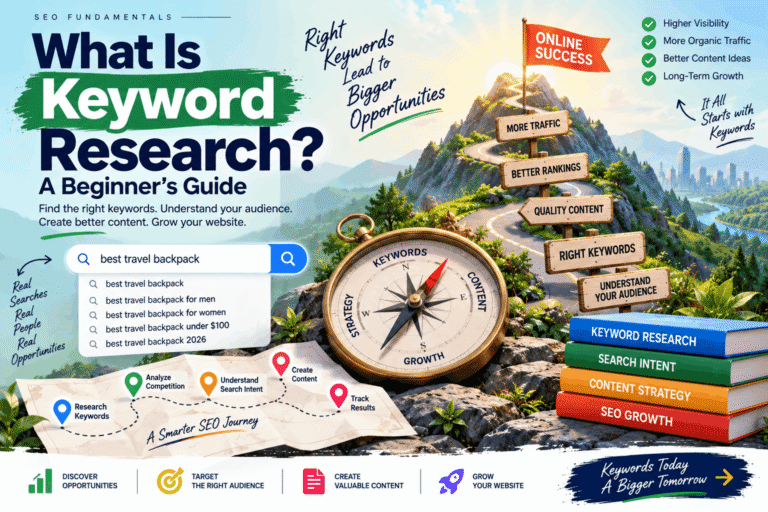
Keyword research is where every good eCommerce SEO strategy starts. Get this step wrong, and you’ll optimize pages for the wrong audience.
Understanding Search Intent
Every search falls into one of these buckets:
|
Intent Type |
Example Search |
What the Shopper Wants |
|
Informational |
“How to choose running shoes” |
Advice, not necessarily a purchase yet |
|
Commercial |
“best running shoes 2026” |
Comparing options before buying |
|
Transactional |
“buy Nike Pegasus 41 online” |
Ready to purchase now |
|
Navigational |
“Nike official store” |
Searching for a specific brand, website, or online destination |
Product pages should focus on transactional and commercial search terms. Blog content should target informational and long-tail keywords that eventually funnel readers toward your products.
Practical Keyword Research Tips
- Start with your product names and categories. Search them in Google and study the “People Also Ask” section for related questions.
2. Use long-tail keywords. Phrases like “waterproof hiking boots for wide feet” have lower search volume but much higher buying intent and less competition.
3. Check competitor product pages. Look at their titles and headings to see which terms they’re targeting.
4. Use free tools like Google Keyword Planner, Google Trends, and AnswerThePublic to validate demand before committing.
5. Group keywords by page type – one set for product pages, one for category pages, one for blog content.
Product Page SEO
Product pages are where sales happen, so they deserve the most SEO attention. A generic, thin product page won’t rank or convert.
SEO Titles
Keep titles under 60 characters and include the product name plus a key attribute.
- Weak: “Shoes”
- Strong: “Men’s Waterproof Trail Running Shoes – Size 7–13”
Unique Product Descriptions
Never copy manufacturer descriptions word-for-word. Google flags duplicate content across the web, and a copy-pasted description won’t help you stand out. Write descriptions that answer real questions: Who is this product for? What problem does it solve? What makes this product stand out from its competitors?
Images and ALT Tags
Compress images for fast loading, use descriptive file names like mens-waterproof-trail-shoes.jpg, and write ALT text that describes the image naturally, such as “Men’s waterproof trail running shoes in charcoal gray.”
URL Optimization
Keep URLs short and readable:
- Weak: yourstore.com/product/id=88213
- Strong: yourstore.com/mens-waterproof-trail-shoes
Reviews and FAQs
Product reviews add fresh, unique content and build trust — both of which Google rewards. Adding an FAQ section on product pages also helps you capture featured snippets and answer objections that stop people from buying.
Category Page SEO
Category pages often get ignored, but they’re some of the highest-traffic pages on an online store.
Technical SEO for Online Stores
Technical SEO is the foundation. Even the best content won’t rank if Google can’t crawl or load your site properly.
Site Architecture
Keep your store structured in a shallow hierarchy: Home > Category > Subcategory > Product. Ideally, no page should be more than three clicks from the homepage.
XML Sitemap and Robots.txt
Submit an updated XML sitemap through Google Search Console so new products get discovered quickly. Use your robots.txt file to block low-value pages (like internal search results) from being crawled, without accidentally blocking important product or category pages.
HTTPS and Mobile-First Design
HTTPS is non-negotiable — it’s a ranking factor and a trust signal. Since most shoppers browse on their phones, your store must be fully responsive and easy to navigate on mobile.
Core Web Vitals and Page Speed
Core Web Vitals measure real-world user experience:
- Largest Contentful Paint (LCP): Measures how quickly the main content becomes visible on the page.
- Interaction to Next Paint (INP): Measures how quickly the page responds when users click, tap, or interact with it.
- Cumulative Layout Shift (CLS): Measures how much the page content shifts unexpectedly as it loads.
Compress images, use a content delivery network, and limit unnecessary apps or scripts (a common issue on Shopify and WooCommerce stores) to improve these scores.
Crawlability and Indexability
Regularly check Google Search Console for crawl errors, blocked pages, and pages marked “excluded.” A page that isn’t indexed can never rank, no matter how good it is.
On-Page SEO Essentials
On-page SEO ties your content and technical setup together.
- Title tags: Unique for every page, front-loaded with the main keyword
- Meta descriptions: Written to earn clicks, not just describe the page
- Heading structure (H1–H3): One H1 per page, with H2s and H3s organizing sections logically
- Internal linking: Connect related pages to spread authority and help visitors browse
- External references: Link out to authoritative sources when citing data or statistics
- Image Optimization: Optimize image sizes and include relevant, descriptive ALT text
- Readability: Keep your content simple with brief paragraphs and reader-friendly formatting
- Featured snippets: Answer common questions directly and concisely to earn the coveted “position zero” spot
Schema Markup for eCommerce
Schema markup is structured code that helps Google understand your content better, often resulting in rich snippets — those star ratings, prices, and stock info you see in search results.
|
Schema Type |
What It Shows in Search Results |
|
Product Schema |
Price, availability, and product images |
|
Review Schema |
Star ratings under your product listing |
|
FAQ Schema |
Expandable questions directly in search results |
|
Breadcrumb Schema |
Clean site path instead of a raw URL |
Rich results stand out visually and tend to earn higher click-through rates, even without a ranking change. Most Shopify and WooCommerce SEO plugins can generate this markup automatically, so you don’t need to be a developer to use it.
Internal Linking Strategy
Internal links help Google understand your site structure and help shoppers find what they need faster.
- Product to category: Link back to the parent category from every product page.
- Category to blog: Feature a “Buying Guide” or “How to Choose” article at the top of a category page.
- Blog to products: Link relevant products naturally within blog content — for example, mention a specific jacket inside a “Best Winter Jackets” post.
- Related products: Show a “You may also like” section to keep shoppers browsing longer.
Content Marketing for eCommerce
Content is what fills the gap between a stranger discovering your brand and becoming a paying customer.
- Product comparisons: “Product A vs. Product B: Which One Fits Your Needs?”
- Tutorials: “How to Care for Leather Boots”
- FAQs: Answer the exact questions your customer support team hears every week
This kind of content earns backlinks, ranks for informational keywords, and builds trust before someone even lands on a product page.
Link Building for eCommerce
Backlinks remain one of the strongest ranking signals, but only when earned ethically.
- Writing guest posts for relevant blogs within your niche.
- Resource page outreach – many sites maintain curated lists of helpful tools and stores
- Digital PR -pitch a unique data point or study to journalists and bloggers
- Brand mentions -reach out to sites that mention your brand without linking, and ask for a link
- Partnerships – collaborate with complementary (non-competing) brands for cross-promotion
Avoid buying links, using private blog networks, or joining link farms. These black-hat tactics can trigger a Google penalty that’s far more damaging than slow growth ever would be.
Top eCommerce SEO Mistakes and How to Resolve Them
- Duplicate product descriptions – Rewrite manufacturer copy in your own words.
2. Slow website speed – Compress images and limit heavy third-party apps.
3. Thin content – Expand product pages with detailed, useful information.
4. Broken links – Run regular audits and fix or redirect dead links.
5. Poor navigation – Simplify menus into clear, logical categories.
6. Missing schema markup – Add product, review, and FAQ schema.
7. No internal links – Connect related products, categories, and blog posts.
8. Keyword stuffing – Write naturally; let keywords fit the sentence, not the other way around.
9. Ignoring mobile users – Test every page on a phone before publishing.
10. Missing ALT text – Add descriptive ALT text to every product image.
11. Weak category pages – Add a short description and clear breadcrumbs.
12. Bad URL structure – Use short, readable URLs with the product or category name.
13. Weak metadata – Write unique titles and descriptions for every page.
14. Ignoring Core Web Vitals – Monitor scores monthly in Google Search Console.
15. Not updating content – Refresh old blog posts and product pages at least twice a year.
16. Out-of-stock pages left live with no plan – Redirect or suggest alternatives instead of showing a dead end.
The eCommerce SEO Checklist
Use this checklist as your ongoing reference:
Foundation
Keyword Research
Product Pages
Category Pages
Technical SEO
Content & Links
Best Practices for Long-Term eCommerce SEO Growth
- Prioritize user experience over squeezing in extra keywords
- Refresh your content regularly rather than publishing it once and leaving it unchanged
- Track rankings and traffic monthly using Google Search Console and Google Analytics
- Test page speed quarterly, especially after adding new apps or plugins
- Build genuine relationships for backlinks instead of chasing shortcuts
- Keep learning — Google’s algorithm evolves, and your strategy should too
Conclusion
This eCommerce SEO guide has covered everything from the basics of keyword research to advanced technical SEO, schema markup, and link building. There’s no single trick that will get your store to page one overnight, but consistent, honest optimization compounds over time.
Start with your product pages, fix the technical issues holding your site back, and build content that genuinely helps your customers. Do that consistently, and organic traffic — along with the sales that come with it — will follow.
FAQ Section
1. What is eCommerce SEO? eCommerce SEO is the practice of optimizing an online store’s pages, structure, and content so it ranks higher in search engines for terms shoppers use to find products.
2. How long does eCommerce SEO take to show results? Most stores start seeing measurable improvement within three to six months, though competitive niches can take longer.
3. Is SEO more effective than paid advertising for online stores? They serve different purposes. Paid ads deliver quick traffic, while SEO builds a long-term, lower-cost traffic source. Most successful stores use both.
4. How do I optimize product pages for SEO? Write unique descriptions, use descriptive titles and ALT text, keep URLs clean, and add reviews and FAQs to build trust and content depth.
5. Do I need schema markup for my store? Yes. Schema markup helps your listings display rich snippets like star ratings and prices, which can improve click-through rates.
6. What’s the difference between Shopify SEO and WooCommerce SEO? The core principles are the same, but the technical setup differs — Shopify relies more on apps and theme settings, while WooCommerce offers deeper control through WordPress plugins.
7. How many keywords should a product page target? Focus on one primary keyword and two or three closely related variations rather than stuffing in unrelated terms.
8. Why aren’t my category pages ranking? Common causes include thin or missing category descriptions, duplicate filter URLs, and weak internal linking.
9. What are Core Web Vitals and why do they matter? They are Google’s key metrics for measuring page speed, responsiveness, and visual stability. Poor scores can hurt both rankings and conversions.
10. What’s the biggest eCommerce SEO mistake beginners make? Using manufacturer product descriptions without rewriting them, which creates duplicate content across the web and weakens rankings.